Grouping
The same board, grouped differently
Group by bucket, status, priority, due date, label or goal. The cards stay the same — only the columns change meaning.
Features
Kanban Planner is a task manager for personal planning, built natively for iPhone, iPad and Mac. Your tasks are cards in buckets, and My Day, week planning and goals help you schedule them.
From the app
Screenshots of the app on iPhone. On iPad and Mac it’s the same app, with more columns side by side.
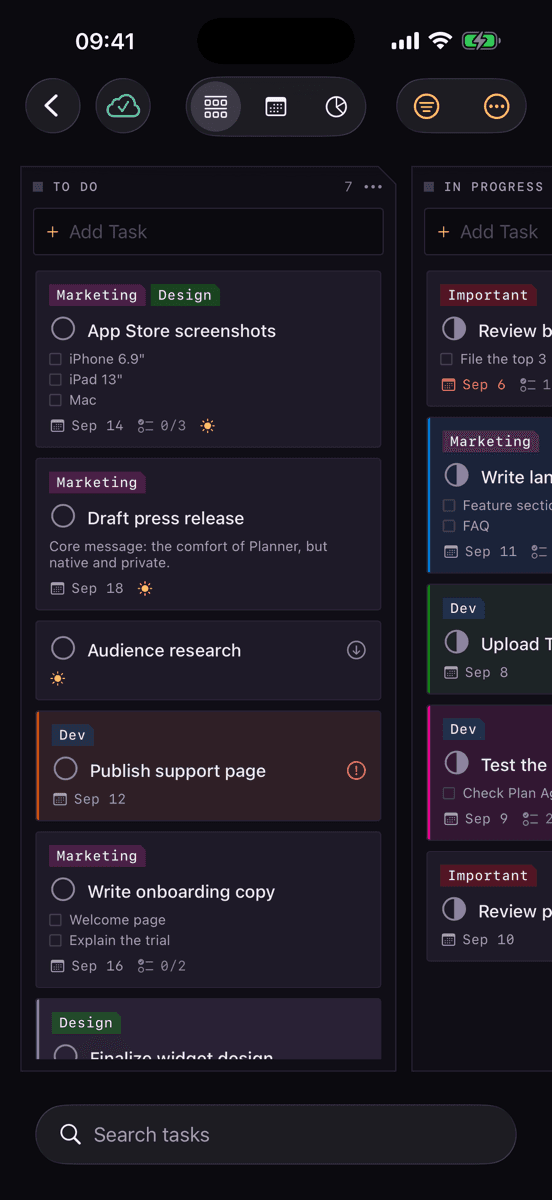
Board · buckets and cards
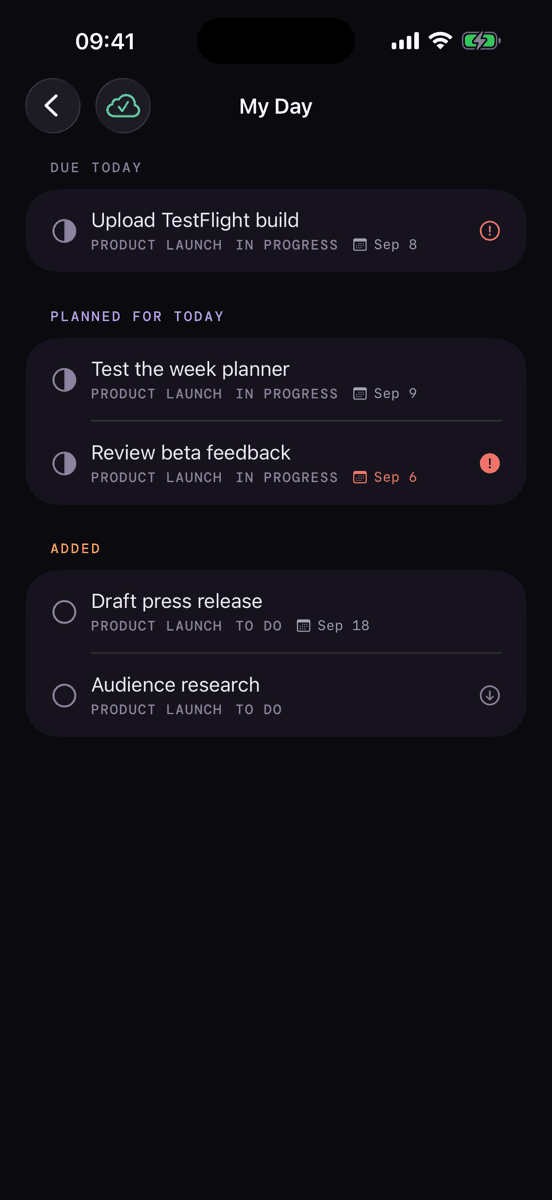
My Day
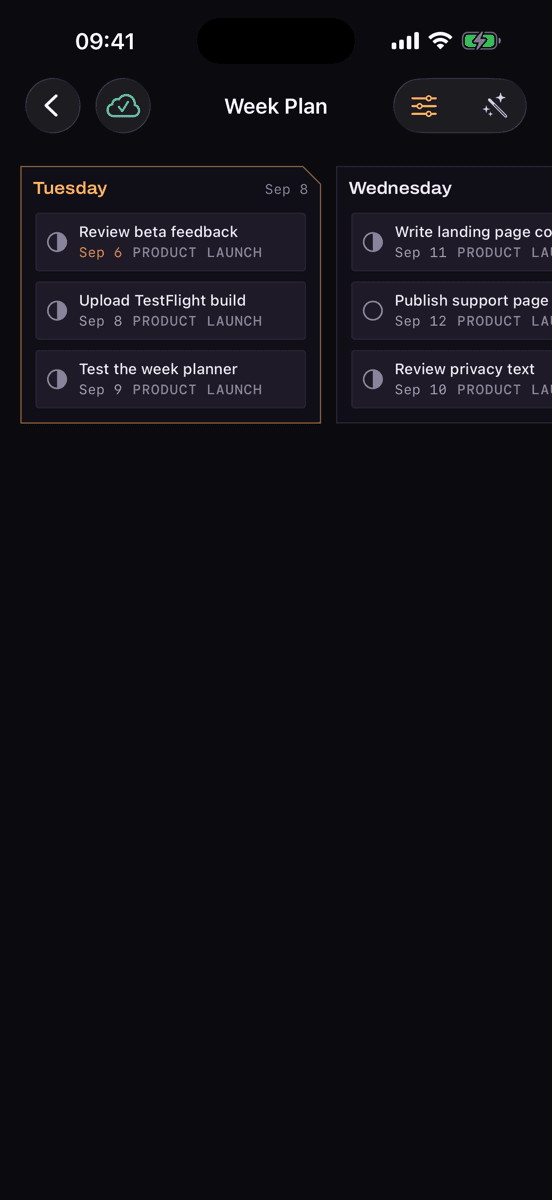
Week Plan
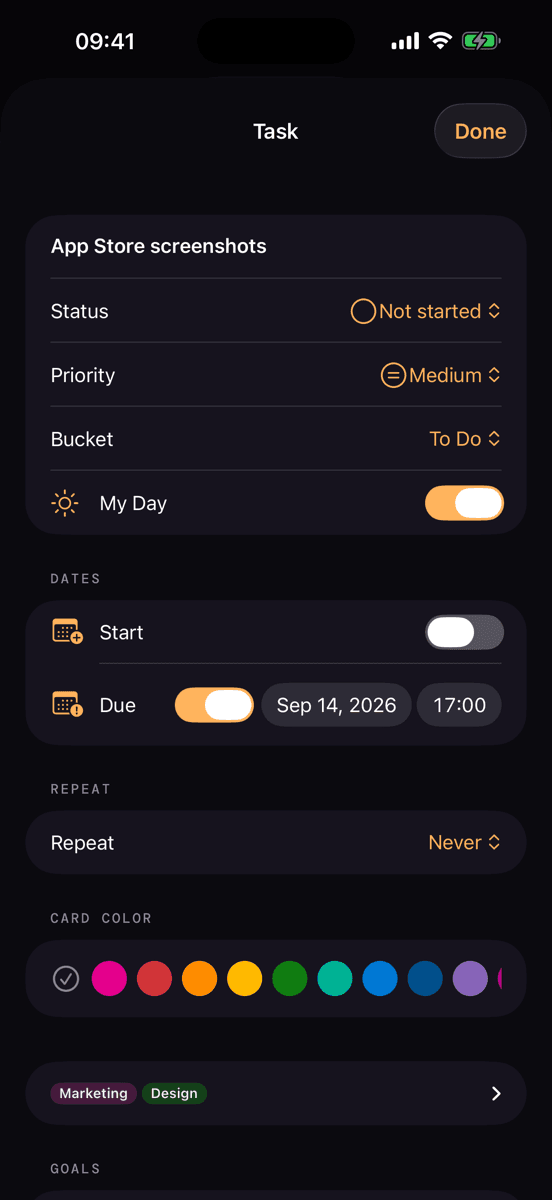
Card details
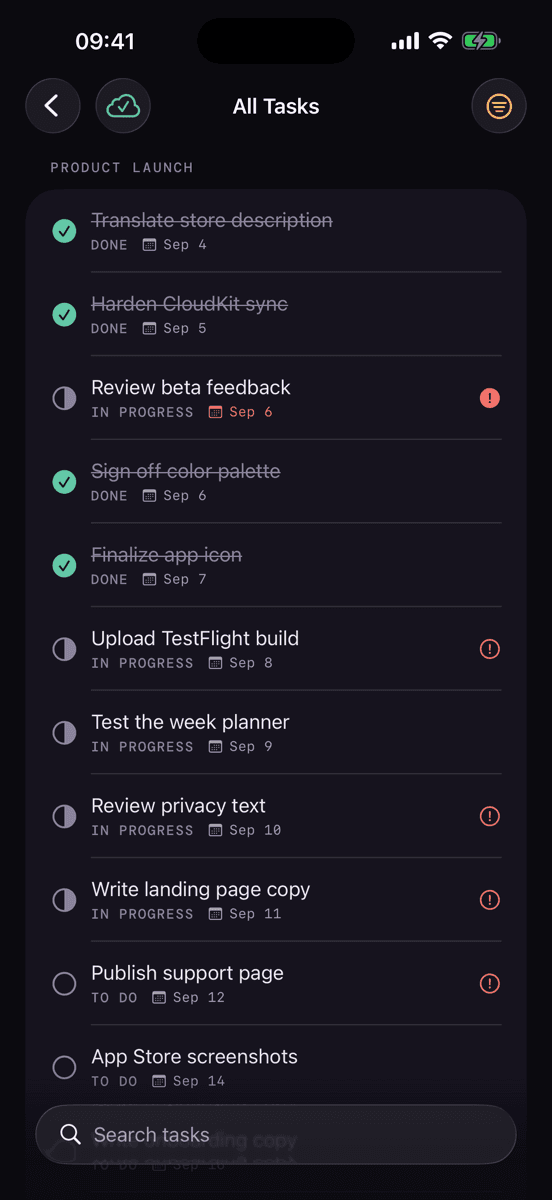
All Tasks
Board
Each plan is a board, with buckets as columns and cards as tasks. Drag a card to “Done” and it’s marked complete.
Group by bucket, status, priority, due date, label or goal. The cards stay the same — only the columns change meaning.
Full-text search across titles and notes. Filters for status, priority, due date and label combine freely.
The card
| Title & note | What to do, and why |
|---|---|
| Checklist | Up to 20 items, shown on the card if you want |
| Dates | Start and due date, with a local reminder |
| Priority | Urgent, Important, Medium, Low |
| Color & labels | 25 nameable labels per plan; new cards take their bucket’s color |
| Attachments | Links and files, up to 15 per card |
| Goal | Links the card to a larger goal |
| Recurrence | Completing one creates the next in the series |
Automatic
These three features take routine work off your hands.
The app weighs due date, goal, priority and size; you set the daily capacity. Anything that doesn’t fit into the week stays in the “Unscheduled” column.
Cards can repeat daily, on weekdays, weekly, monthly, yearly or at your own interval. Checking one off creates the next card in the same bucket.
Sign in to GitHub in Settings and choose which repositories to include. Open issues and pull requests then become cards, with the due date taken from the milestone. The connection is read-only and changes nothing on GitHub.
Anything due or planned for today appears automatically; you add other cards yourself. The next morning your own picks are cleared, and the board stays as it is.
A goal gathers cards from its plan, and its progress comes from the cards you complete. Goals shows the goals of all your plans in one place.
Platform
The same native app runs on iPhone, iPad and Mac, and Pro works on all your devices signed in with the same Apple Account. Your data syncs through your own private iCloud database, so you don’t need an account with us.
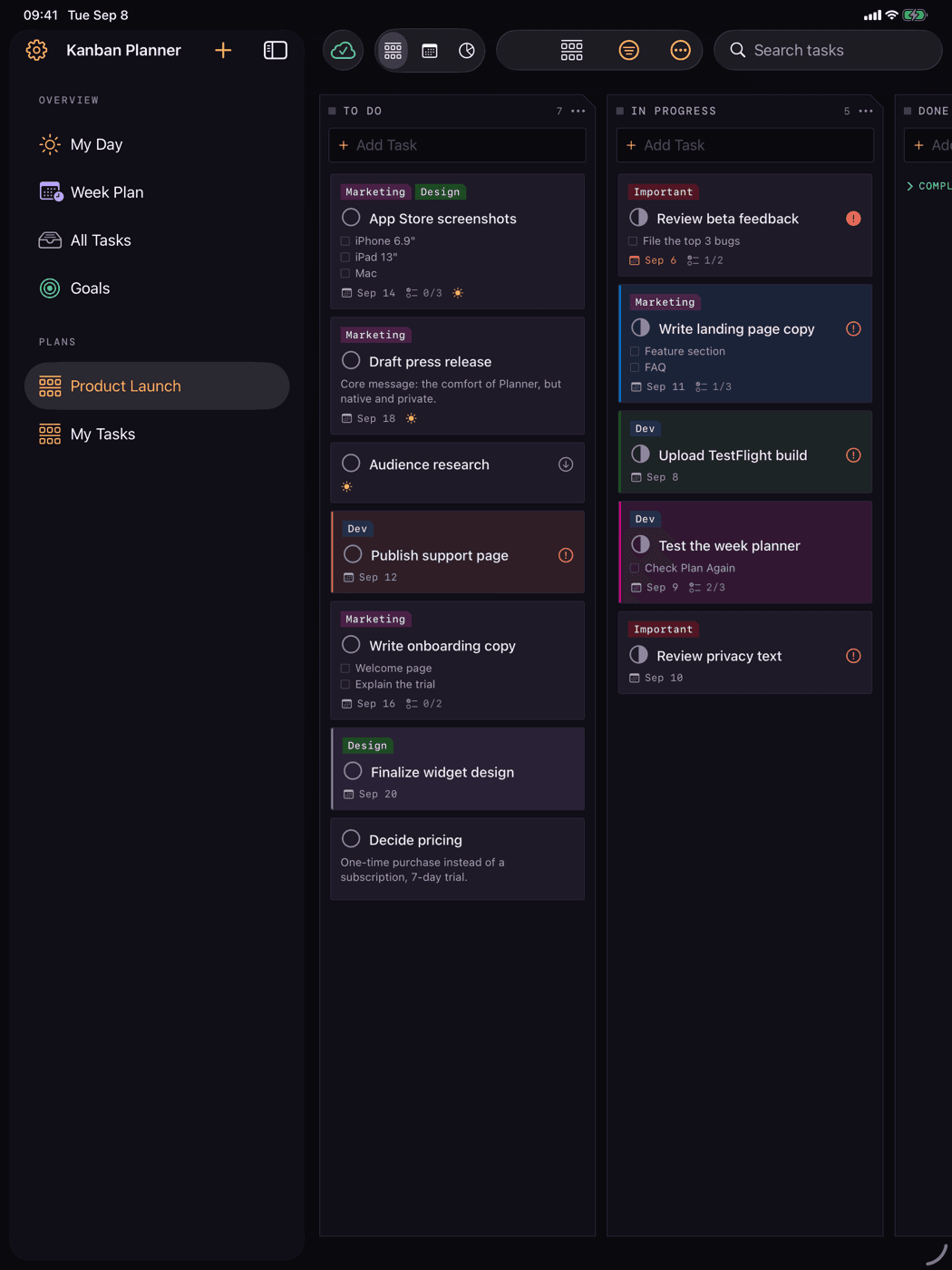
iPad · the same board, more columns in view
Widgets are available for the Home Screen and Notification Center. Check off checklist items right in the widget, without opening the app.
The app works without an internet connection. Changes sync as soon as the device is back online.
Due-date reminders are scheduled locally on the device, without going through a server.
Claude integration
With the MCP server, a small add-on program for the Mac, the AI assistant Claude Code can read, add, change and check off cards and plan your week. Claude should delete only when you explicitly ask; the server sets that rule in every session. It requires Pro.
With Pro, everything is unlocked, widgets and the Claude integration included. The yearly subscription starts with a 14-day free trial. Without Pro you can only view your content.